Redesigning TaskUs's Internal Operations Portal on ServiceNow
TaskUs needed a unified internal portal for their global support and operations teams. Built on ServiceNow, we redesigned the existing IT portal - fixing critical UX defects, reducing redundancy, and creating a cleaner, faster experience for thousands of employees across the GLOWSTICK platform.
Client
TaskUs
Platform
ServiceNow
Timeline
Oct 2022 – Jan 2023
Role
Product Designer
Type
Internal Tool · Enterprise
Team
inMorphis
Overview
The Platform
GLOWSTICK - Global Knowledge, Support, and Ticketing - is TaskUs's internal IT portal built on ServiceNow. Used by their operations, support, and HR teams across global offices.
The Problem
The existing portal had significant UX defects: an overcrowded header, duplicate navigation paths, inconsistent typography, and a search bar with no feedback - all leading to confusion and wasted time.
Our Approach
inMorphis conducted a heuristic analysis of the existing portal, identified the critical issues, and redesigned the experience - cleaning up the IA, reducing redundancy, and building a clearer, more trustworthy interface.
UX Analysis
What we found - and why it mattered
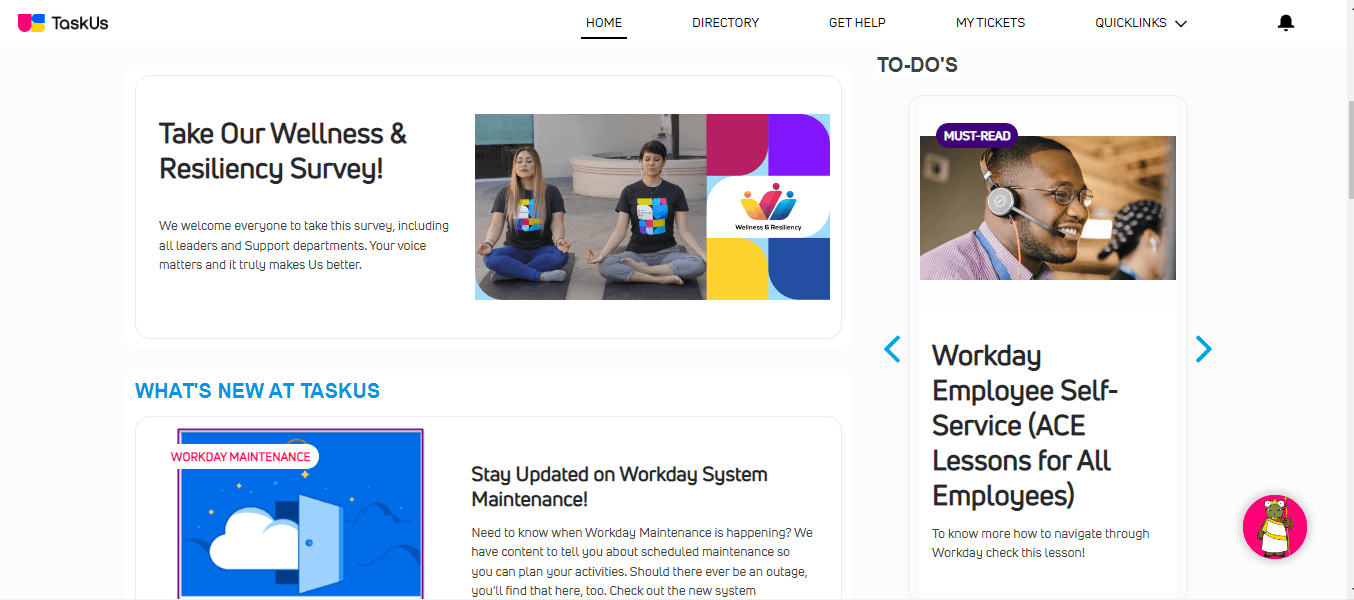
A heuristic evaluation of the existing GLOWSTICK portal surfaced 6 critical issues spanning information architecture, visual consistency, and system feedback. Each one was costing employees time and eroding trust in the platform.
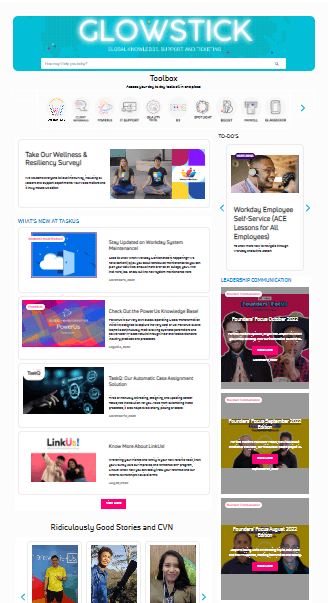
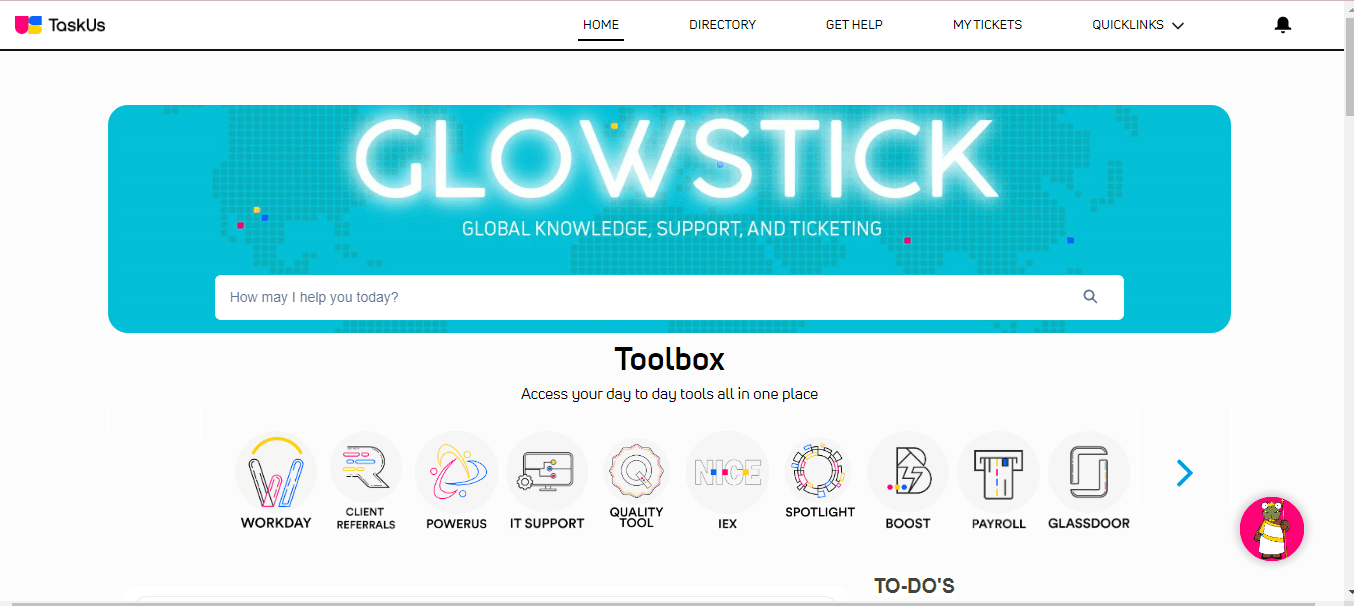
Before
Client's existing portal
Issues Found
Overcrowded Header
The header contained 9 clickable buttons - far beyond what a navigation bar should carry. Primary actions like 'New Request' and 'Create Incident' were competing for the same visual space as branding.
Moved secondary actions out of the header. Streamlined to core navigation + key actions only.
Duplicate Action Items
'Create Incident' and 'Report an Issue' routed to the same page. 'Get Help' and 'Search the Knowledge Base' did too. Users were confused and the interface felt untrustworthy.
Consolidated duplicates into single, clearly labelled entry points with consistent intent.
Slow Background Image
The background image loaded ~1.14 seconds after the page itself - creating a jarring flash of unstyled content and making the portal feel sluggish and unpolished.
Optimized asset size and load order. Replaced heavy PSD-exported images with optimised web formats.
Inconsistent Typography
'Create Major Incident' was centre-aligned while all other navigation items were left-aligned. Icon and text baselines didn't match across components.
Established a consistent type scale and alignment system applied across all navigation and content elements.
Non-Suggestive Search
The search bar provided no real-time suggestions and gave no indication that results were loading. Users had no visibility into system status - a core usability heuristic violation.
Added predictive suggestions, a loading indicator, and scoped search filters to reduce ambiguity.
Poor Modal Placement
Knowledge Base and Announcements were pushed to the right side of the layout to make room for My Requests and My Incidents - creating an unintuitive hierarchy that users had to learn.
Redesigned the layout grid so all four sections have appropriate visual weight and logical placement.
The Solution
V1 - A cleaner, faster portal
Our redesign tackled every identified issue - consolidating duplicate paths, restructuring the navigation, and establishing a consistent visual language across both the Glowstick Portal and the IT Portal. The result: a tool employees could actually trust.
6
UX defects resolved
9→3
Header actions reduced
2
Portal views redesigned
V1
Delivered in 3 months
01
Glowstick Portal - Home
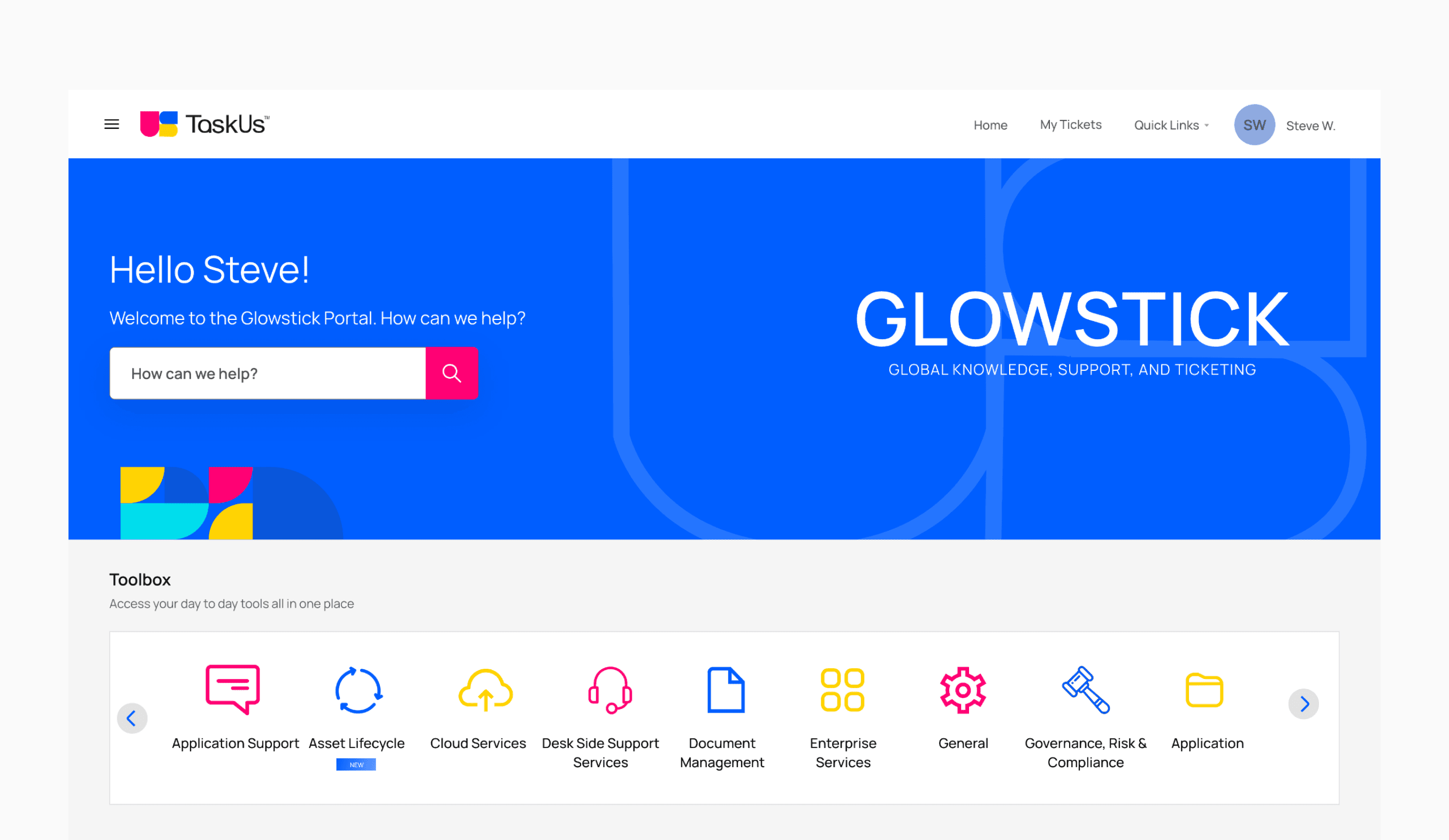
I started with the home screen. The old one felt cold and cluttered, so I gave it a personal touch — a greeting with the employee's name, a single search bar front and centre, and a clean Toolbox carousel below so people could find their apps without hunting around.
02
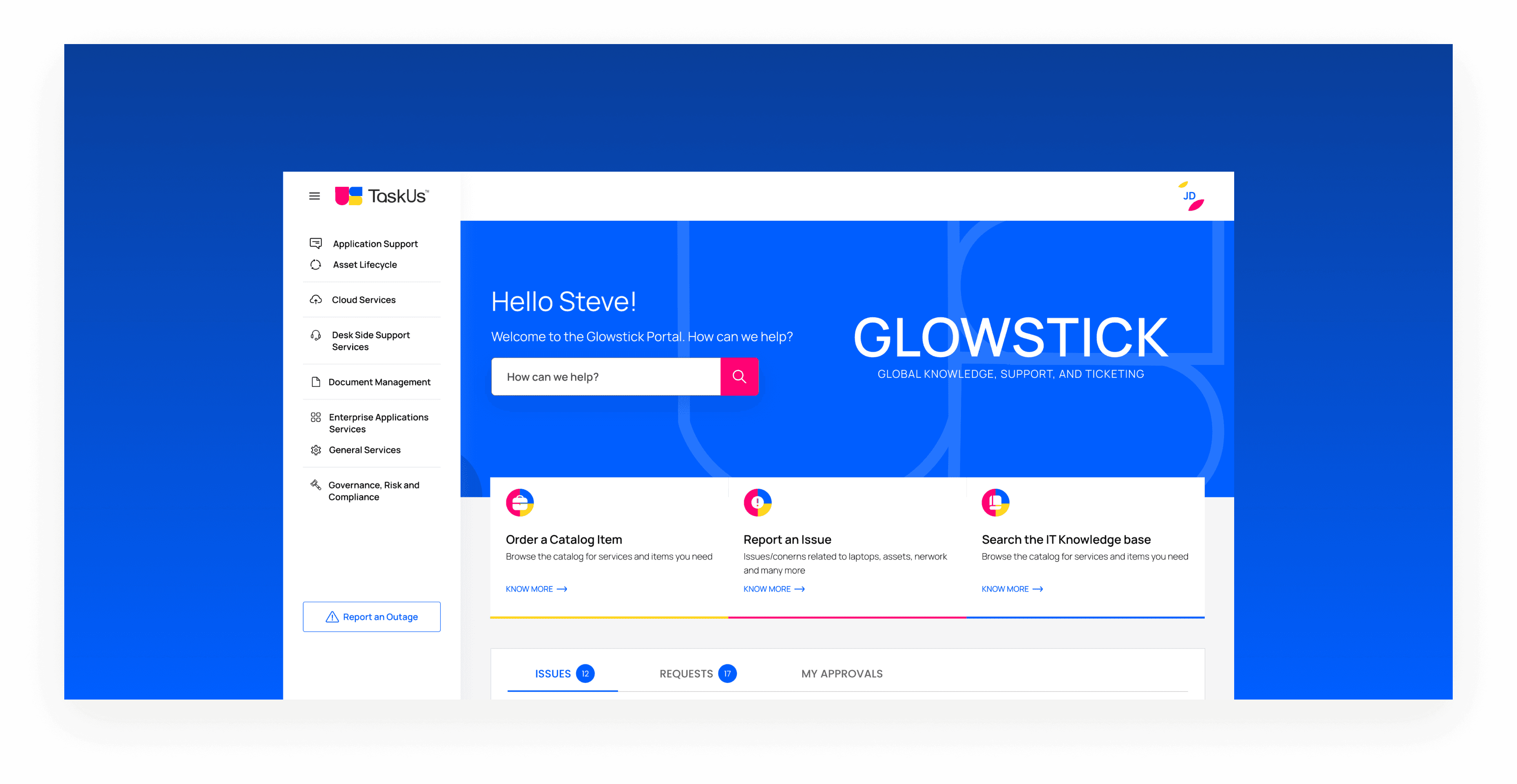
IT Portal - Dashboard
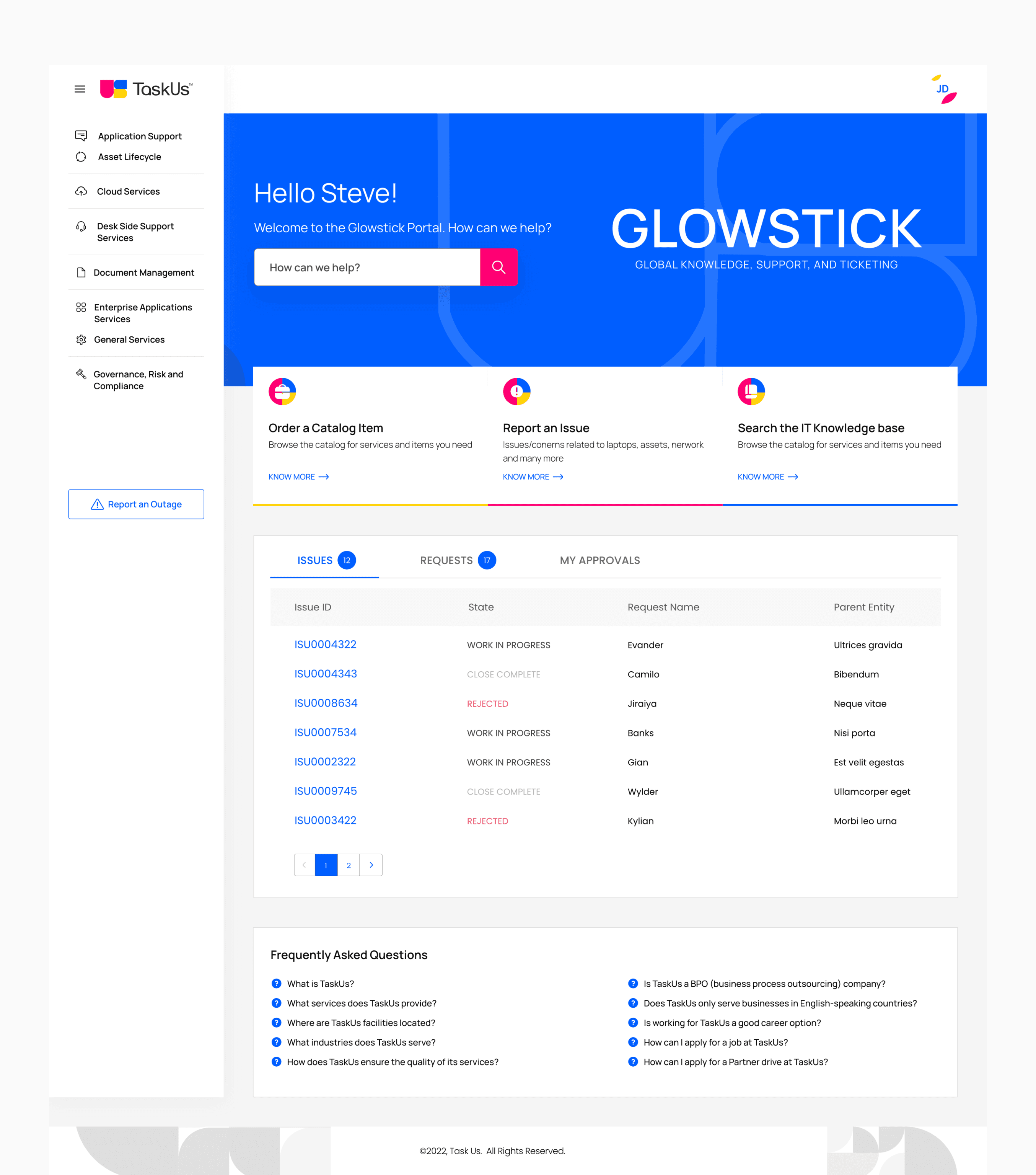
The IT Portal was the messiest part. I moved all the navigation into a left rail so the main area could breathe. Then I brought the three things people actually need — Order a Catalog Item, Report an Issue, and Search the Knowledge Base — front and centre. Issues, Requests, and Approvals all live in one tabbed view now instead of being scattered across the page.
03
Glowstick Portal - Content Hub
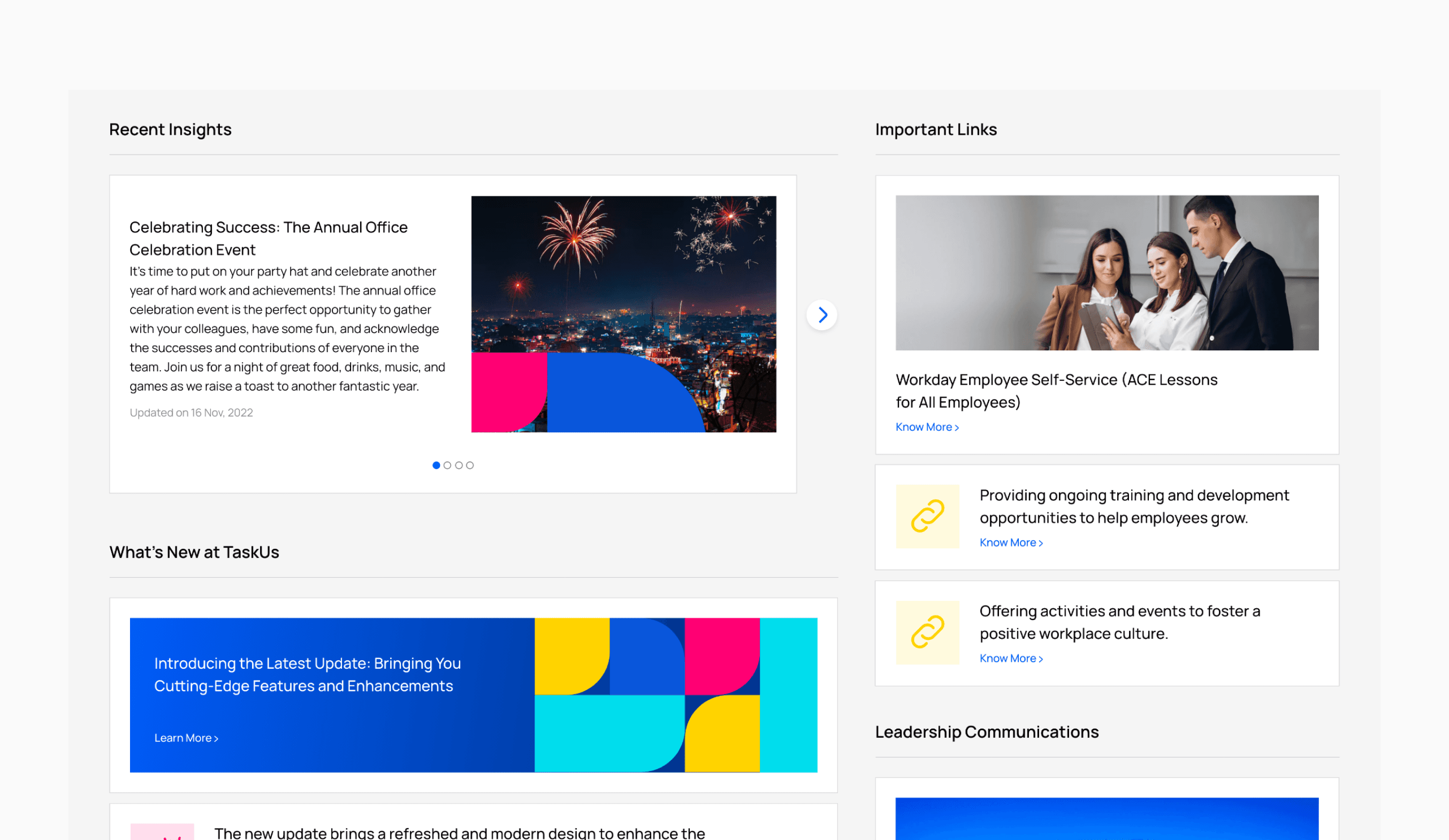
Below the hero I gave each content type its own space. Recent Insights, Important Links, What's New, and Leadership Communications each sit in their own zone. Before this, they were all competing for attention in one messy column. Now it's easy to scan and find what you're looking for.
04
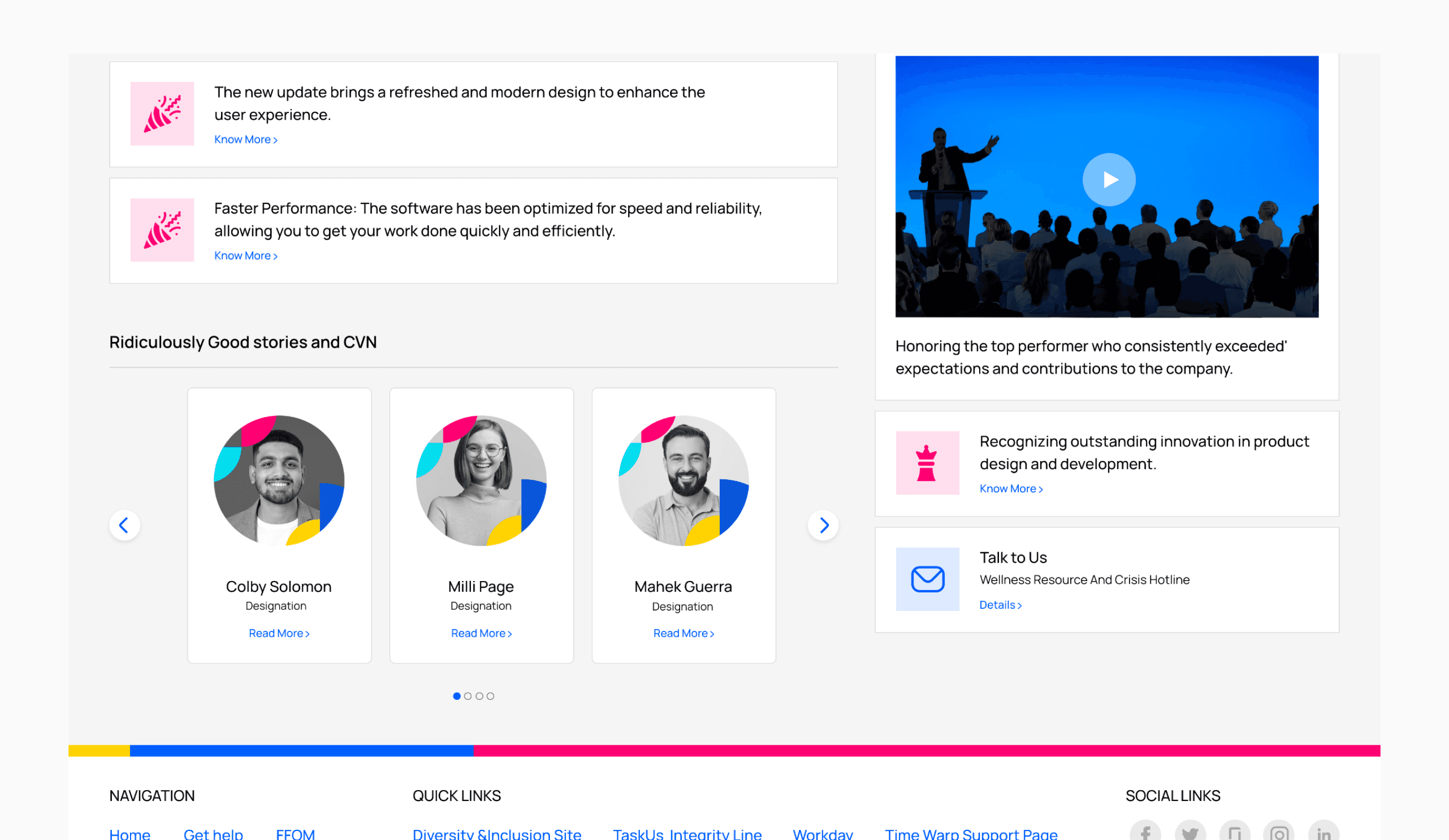
Glowstick Portal - Stories & Comms
At the bottom of the portal I made room for the culture stuff that was previously buried — Ridiculously Good Stories, CVN spotlights, recognition posts, and the wellness helpline. These things matter to employees but never had a proper home. Now they do.
05
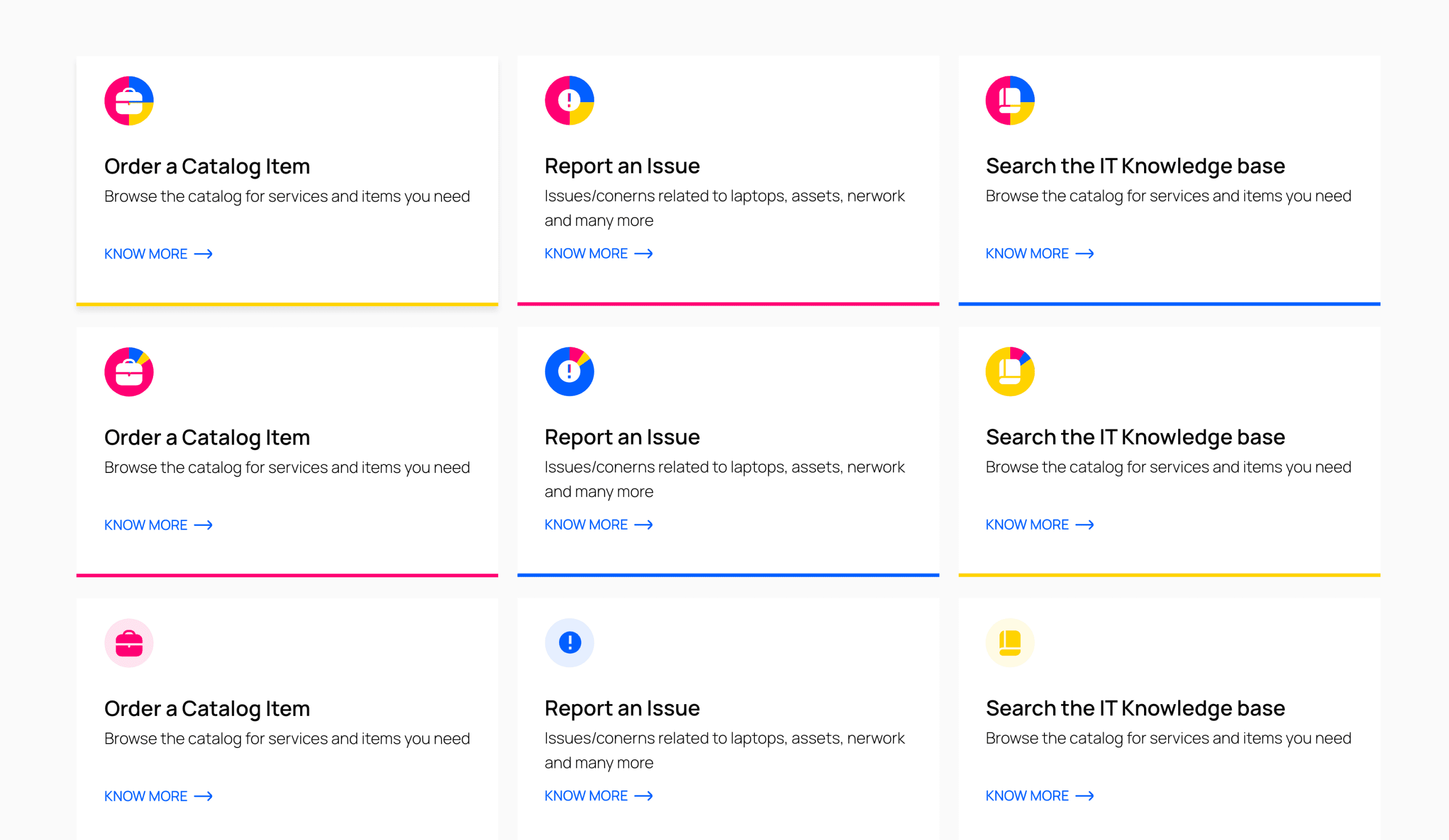
IT Portal - Service Cards
I explored a few different ways to present the three service entry points. Different icon styles, different card weights — I wanted to find the version that felt the most intuitive at a glance. The goal was simple: one card, one action, no confusion.