Transforming ServiceNow into a Fully Branded Bank Employee App
IDFC FIRST Bank needed a mobile employee experience that felt like theirs - not a generic enterprise tool. We took the ServiceNow Now Mobile platform and rebuilt it from the ground up with the bank's identity, brand imagery, and UX patterns - creating a custom employee app used across the organization.
Client
IDFC FIRST Bank
Platform
ServiceNow Now Mobile
Year
2021
Role
Product Designer
Type
Mobile App · FinTech · Enterprise
Team
inMorphis
Project Context
The Platform
ServiceNow Now Mobile
ServiceNow's mobile platform ships with a generic, green-branded interface - designed as a neutral foundation for enterprise deployments. Out of the box, employees see a "servicenow" splash screen with no connection to their organization.
The Challenge
Make it feel like IDFC
IDFC FIRST Bank wanted their employees to open an app that felt native to the bank. The goal was total brand ownership - from the app icon and splash screen to every screen inside - while preserving the ServiceNow platform's functional capabilities.
The Approach
Identity-first, experience-led
We designed a comprehensive theming system over the Now Mobile platform: custom icon, splash screen, deep red brand palette, Amitabh Bachchan campaign imagery, and a UX pattern library covering every screen across all 5 app sections.
3
App surfaces branded
5
Core sections designed
100%
Custom ServiceNow theme
2021
Shipped to production
Brand Transformation
From generic to fully owned.
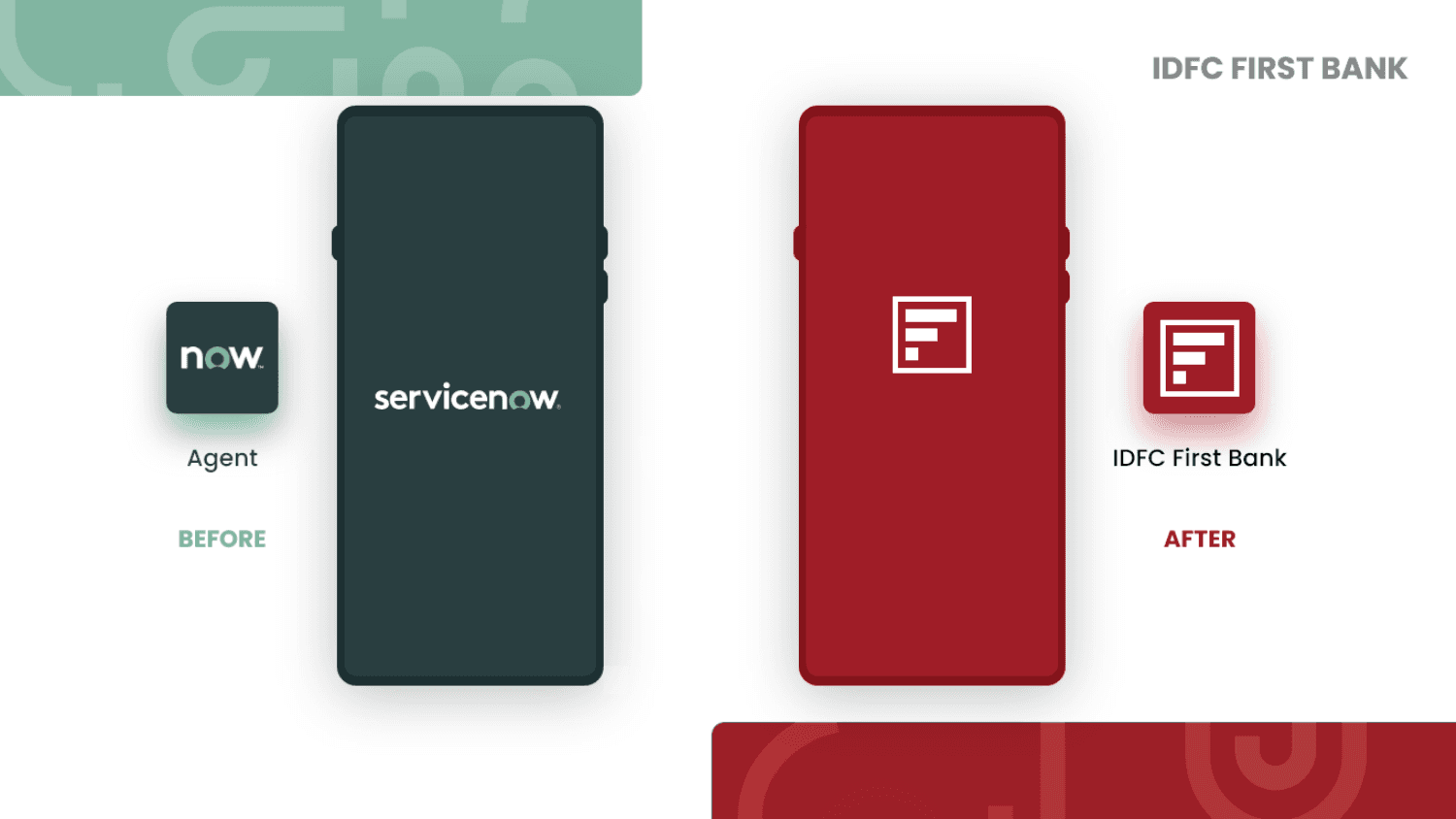
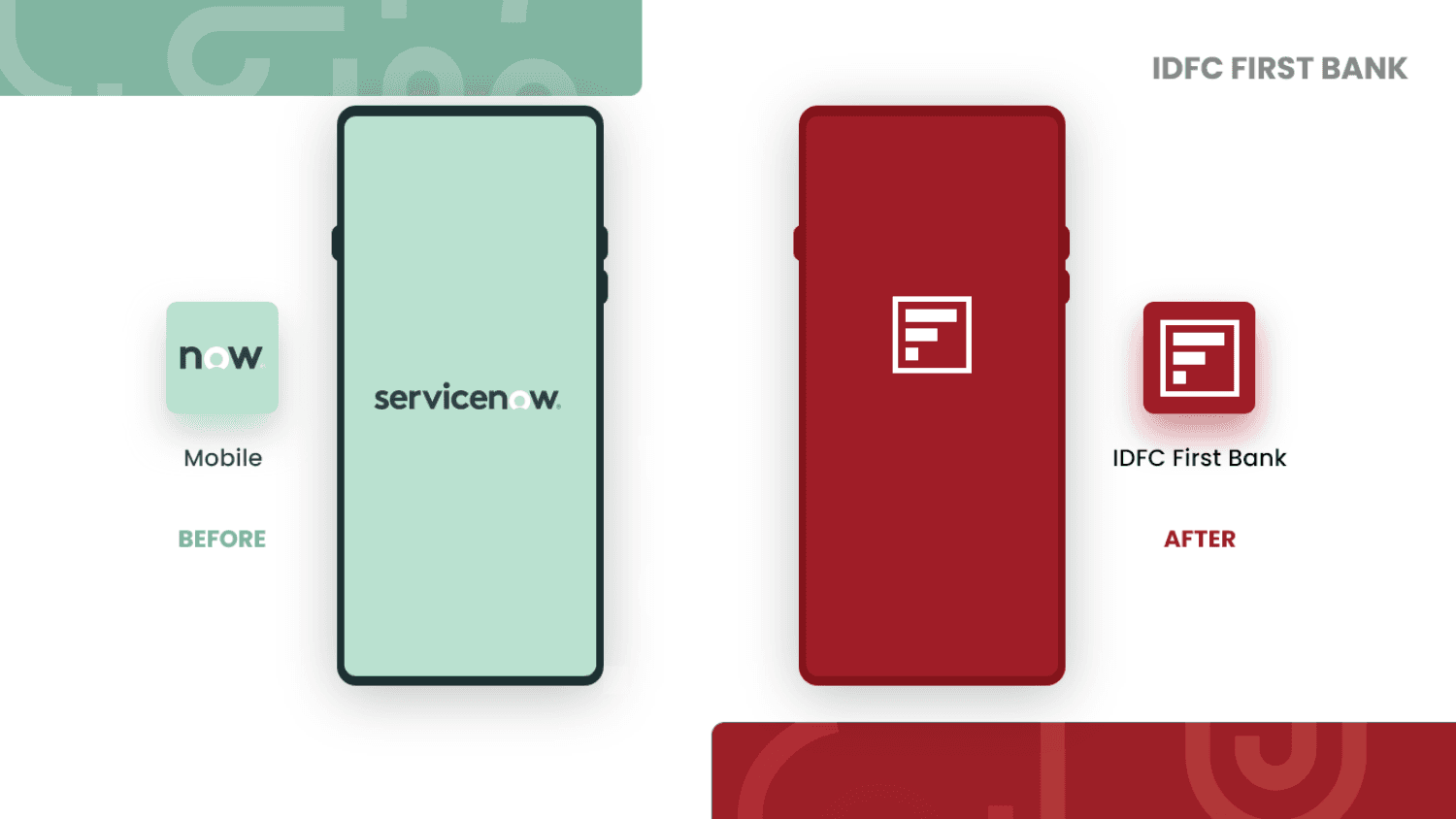
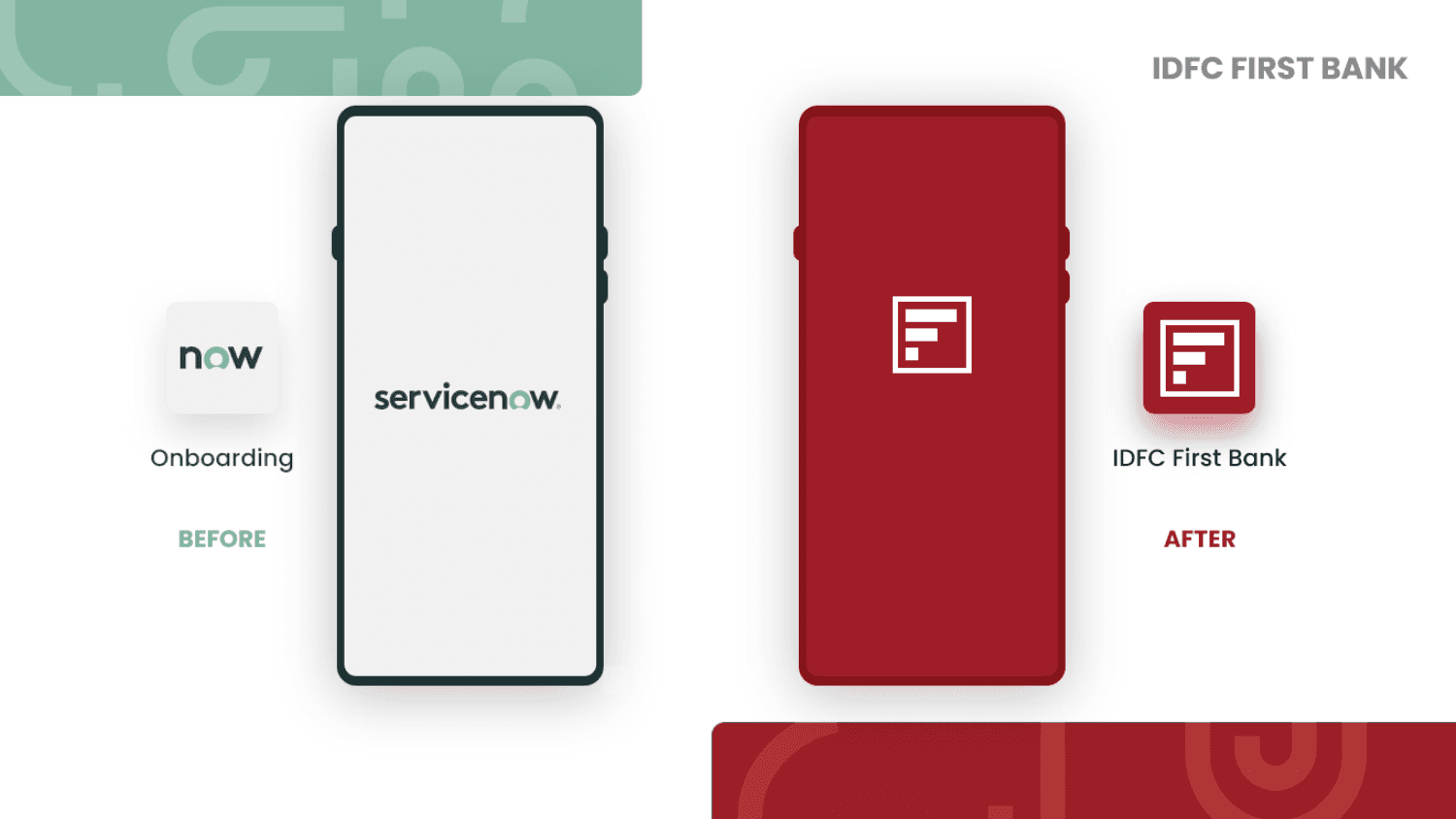
ServiceNow ships three default app surfaces - Agent, Mobile, and Onboarding - each with their own splash screen and icon. We replaced all three with a unified IDFC FIRST Bank identity.
App Screens
Five sections, one experience.
Every screen was designed with two goals: complete brand ownership and ServiceNow platform compliance. Here's how each section was structured.
My Items
The personalized homescreen
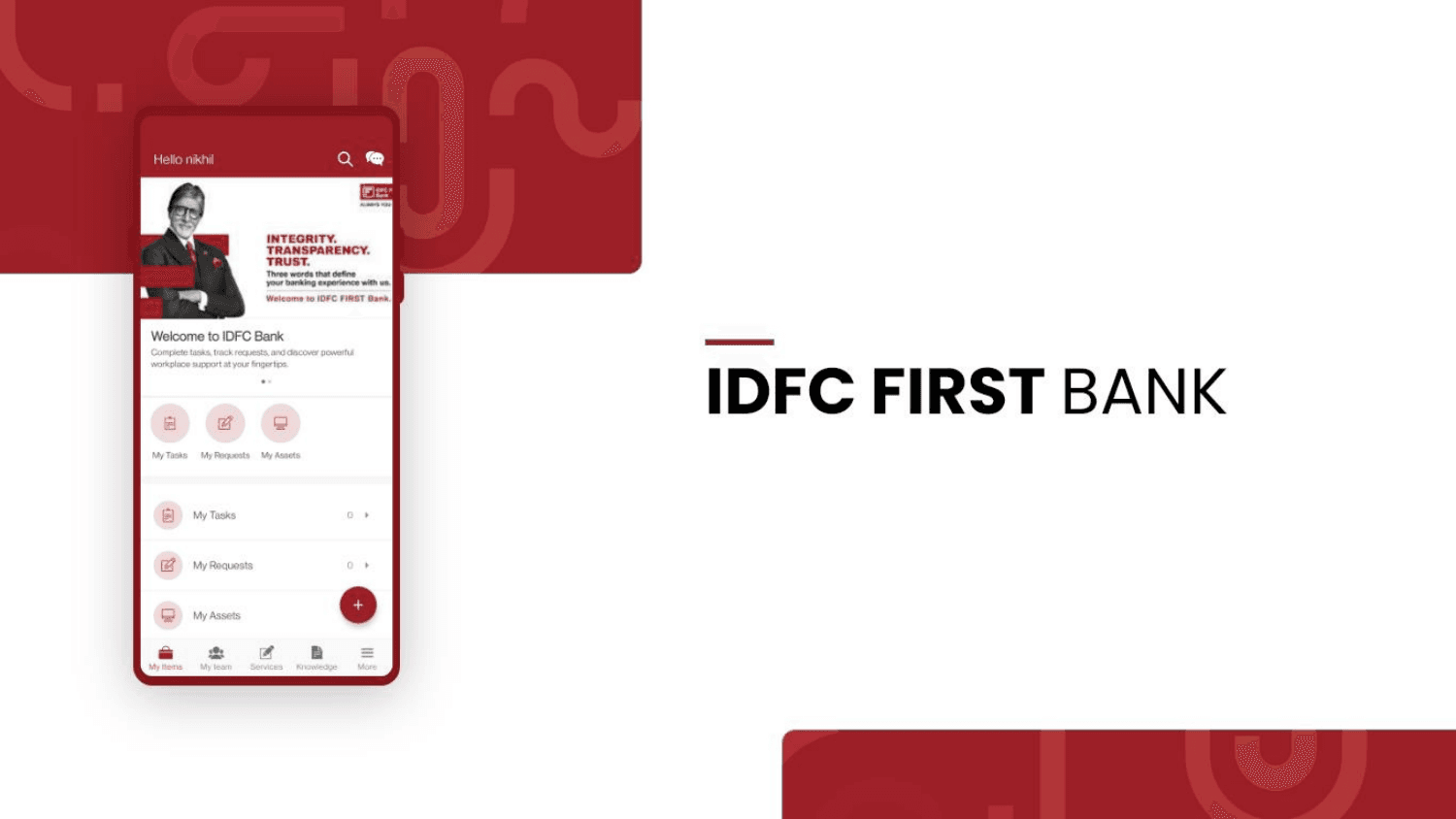
The landing experience for every employee - a branded, personalized dashboard surfacing their tasks, requests, and assets at a glance.
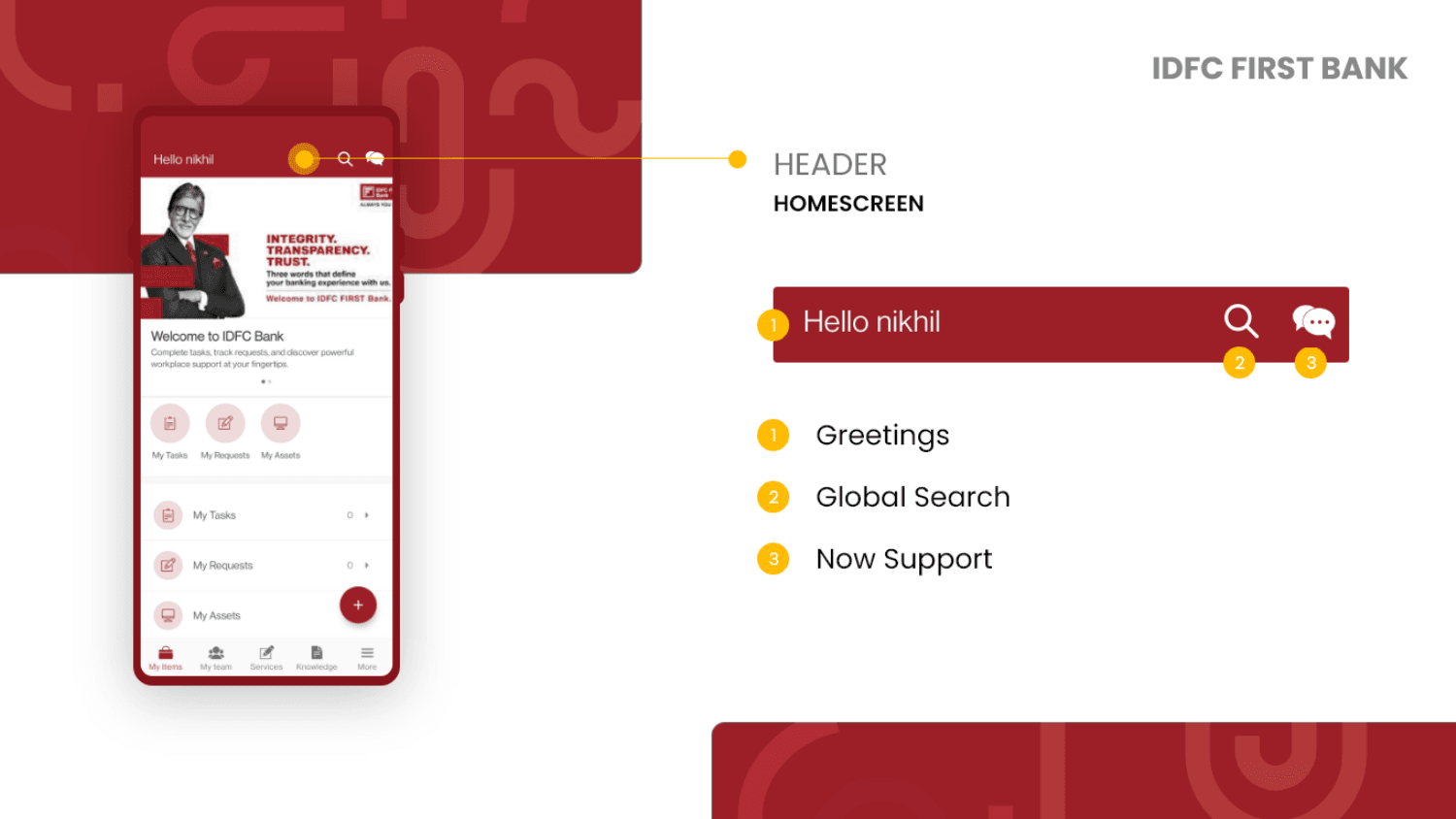
Personalized greeting + utility
The header anchors the app with a contextual greeting using the employee's name, paired with global search and Now Support chat - all within the bank's brand color.
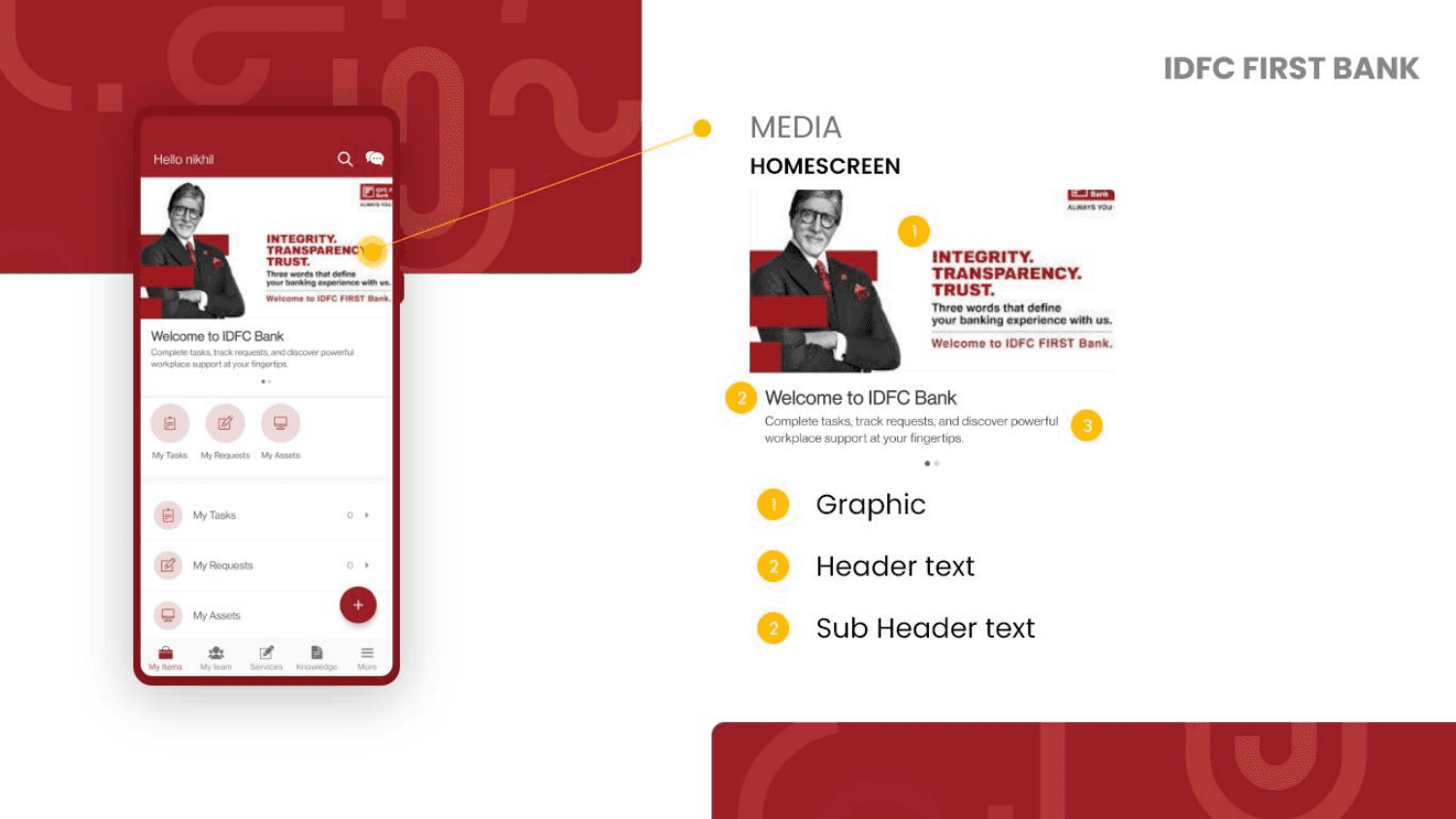
Brand storytelling above the fold
A hero media block featuring brand imagery (Amitabh Bachchan campaign), bank logo, headline text, and a welcome message. The first thing employees see after logging in.
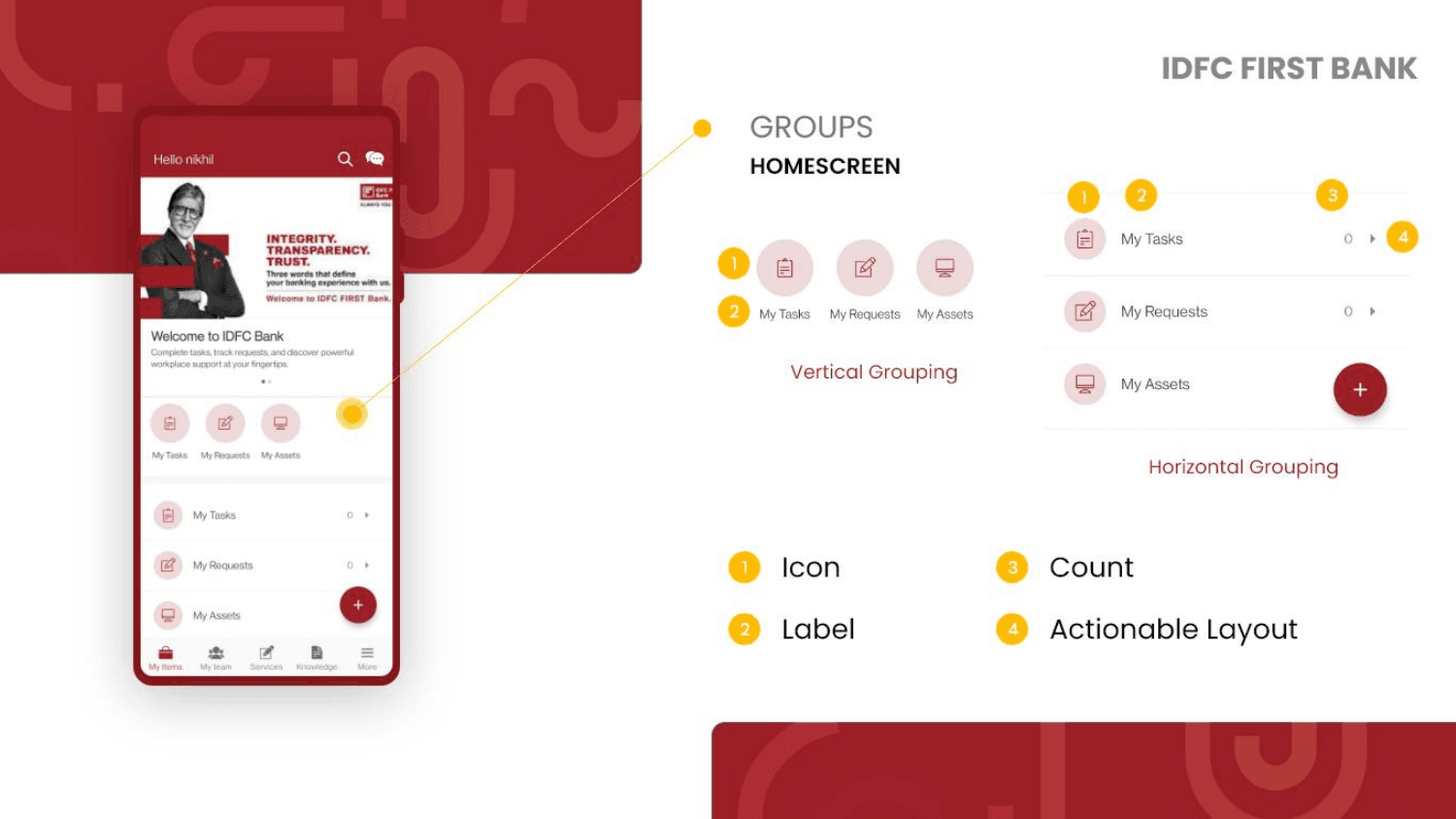
Two content layouts for different densities
Items can render in horizontal pill groups (My Tasks, My Requests, My Assets) for quick navigation, or as vertical list rows with counts and actionable indicators for detailed views.
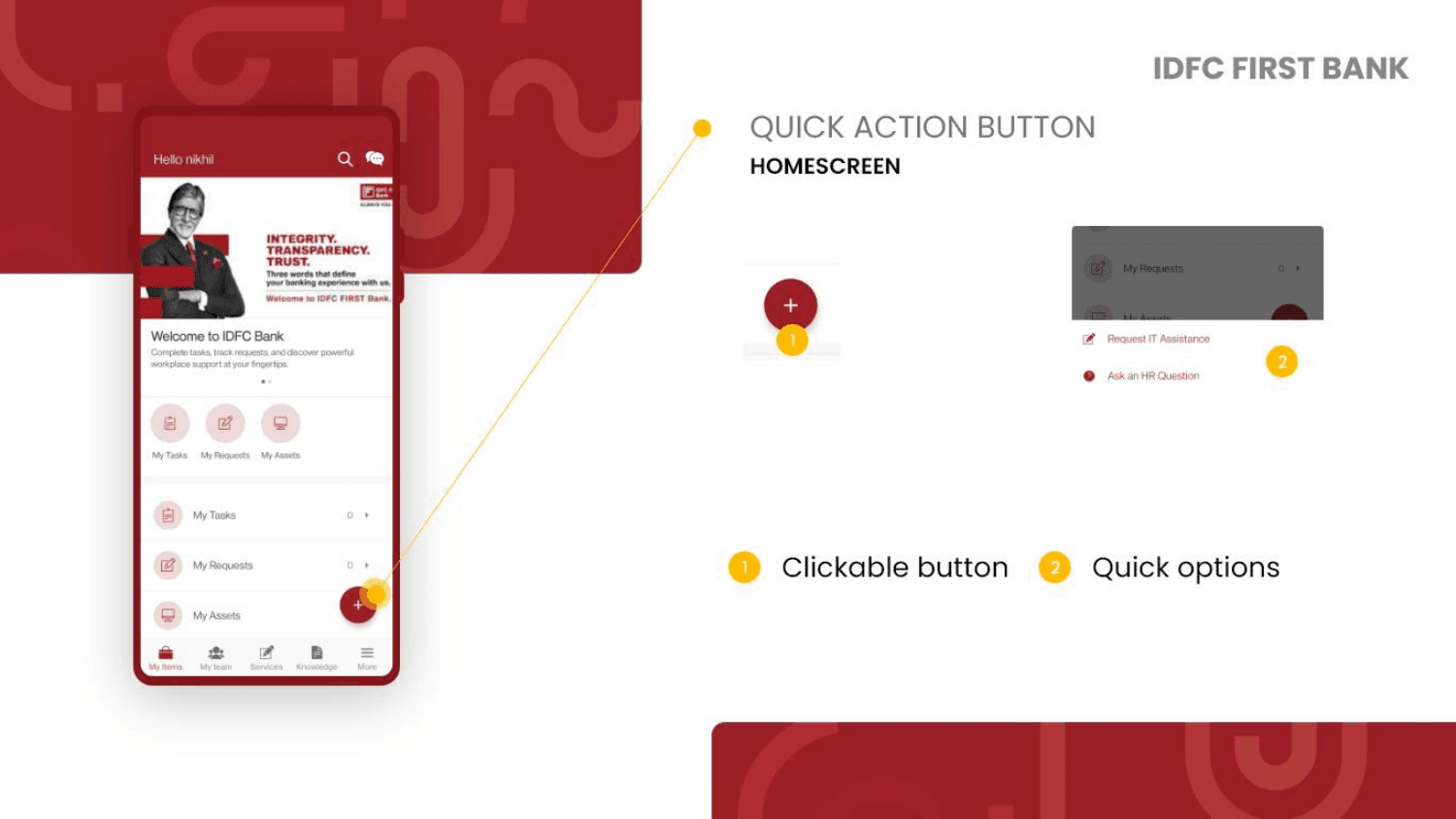
FAB with contextual quick options
A floating action button expands to reveal contextual shortcuts - Request IT Assistance, Ask an HR Question - reducing the steps to the most common employee actions.
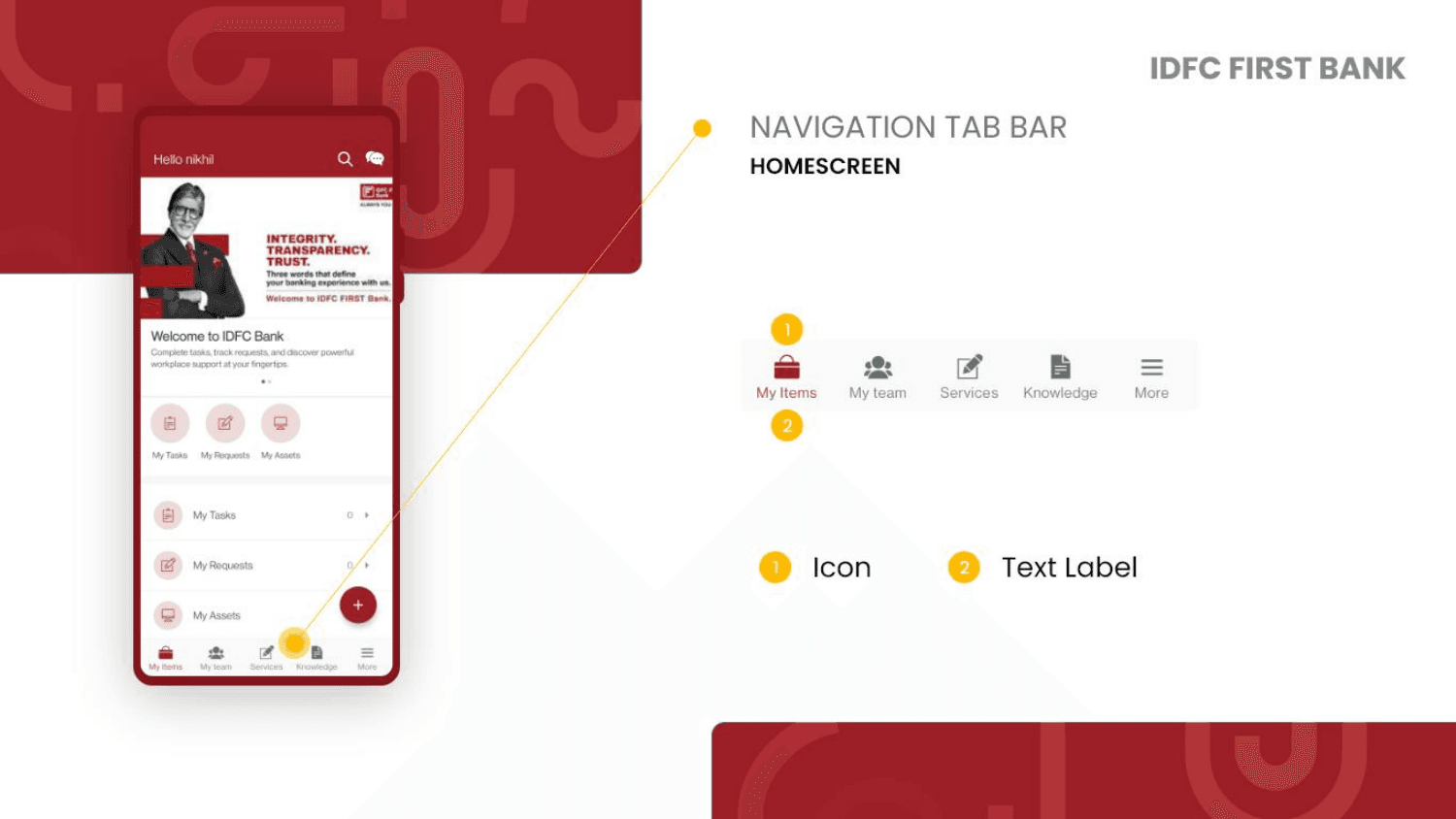
5-tab navigation bar
A persistent bottom tab bar provides access to all five core sections: My Items, My Team, Services, Knowledge, and More - with icon and text label pairs for clarity.
My Team
Team operations at a glance
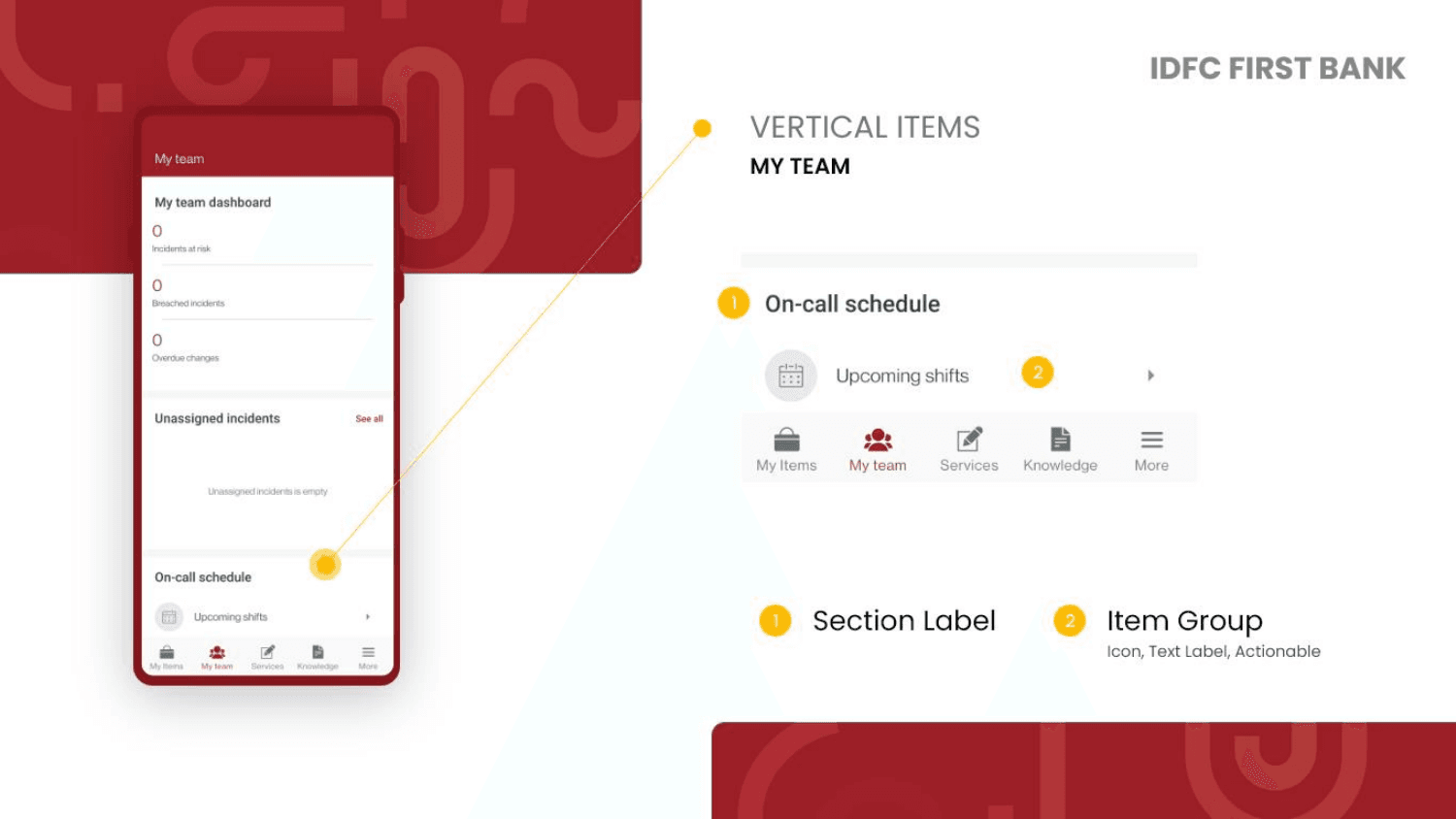
For managers and team leads, My Team surfaces live operational data - incidents, breaches, overdue changes, and on-call schedules - in a scannable dashboard.
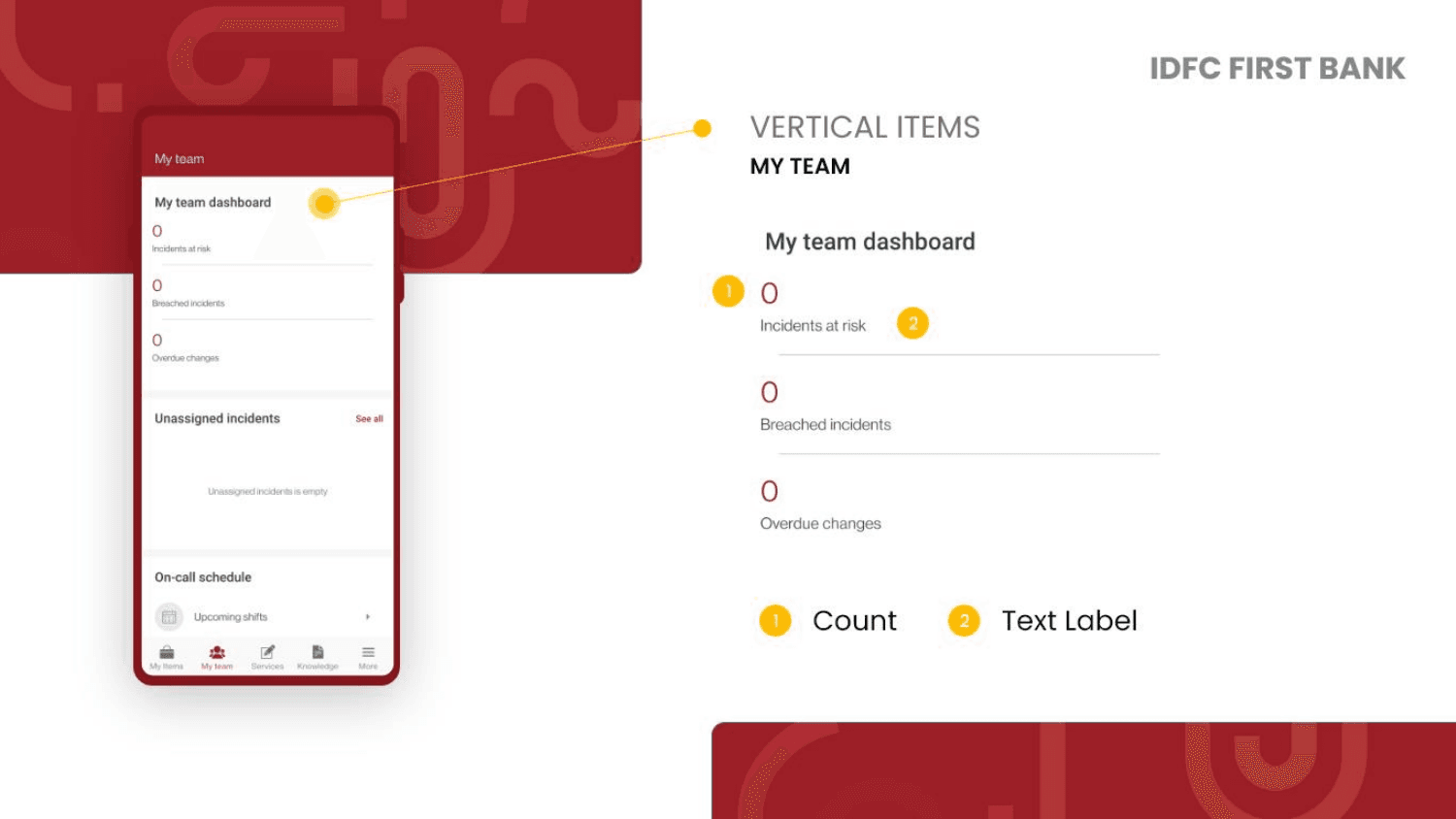
Vertical metric display
Key metrics (incidents at risk, breached incidents, overdue changes) render as vertical count rows - clean numeric data that communicates urgency without visual noise.
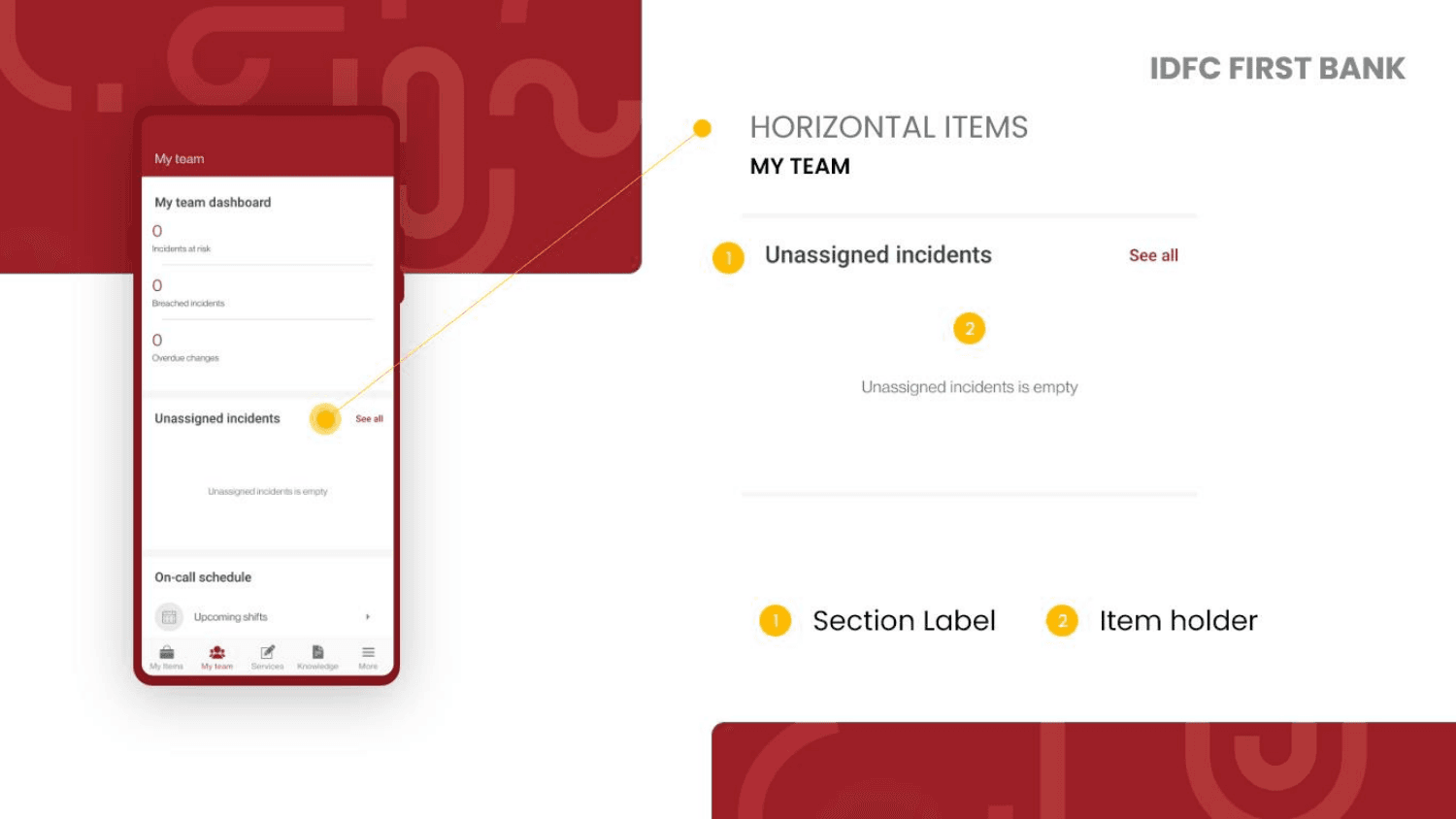
Horizontal section with item holder
Unassigned incidents display in a horizontal section layout with a section label, count badge, and a "See all" action - keeping the view compact while retaining discoverability.
Upcoming shifts as item group
On-call schedule renders as a labeled section with an item group combining icon, text label, and an actionable row indicator - letting team leads check shift coverage instantly.
Services
The service catalog, simplified
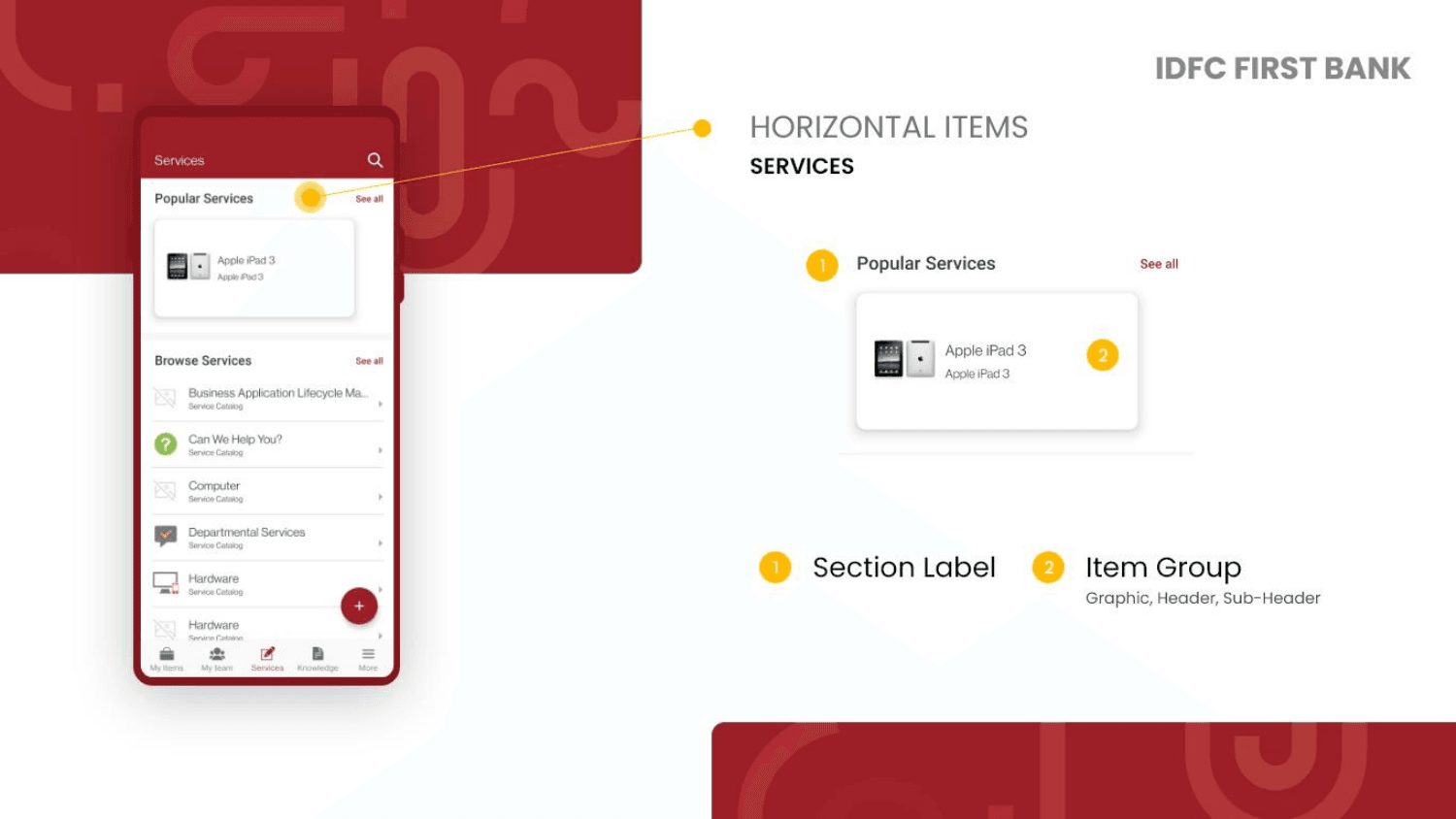
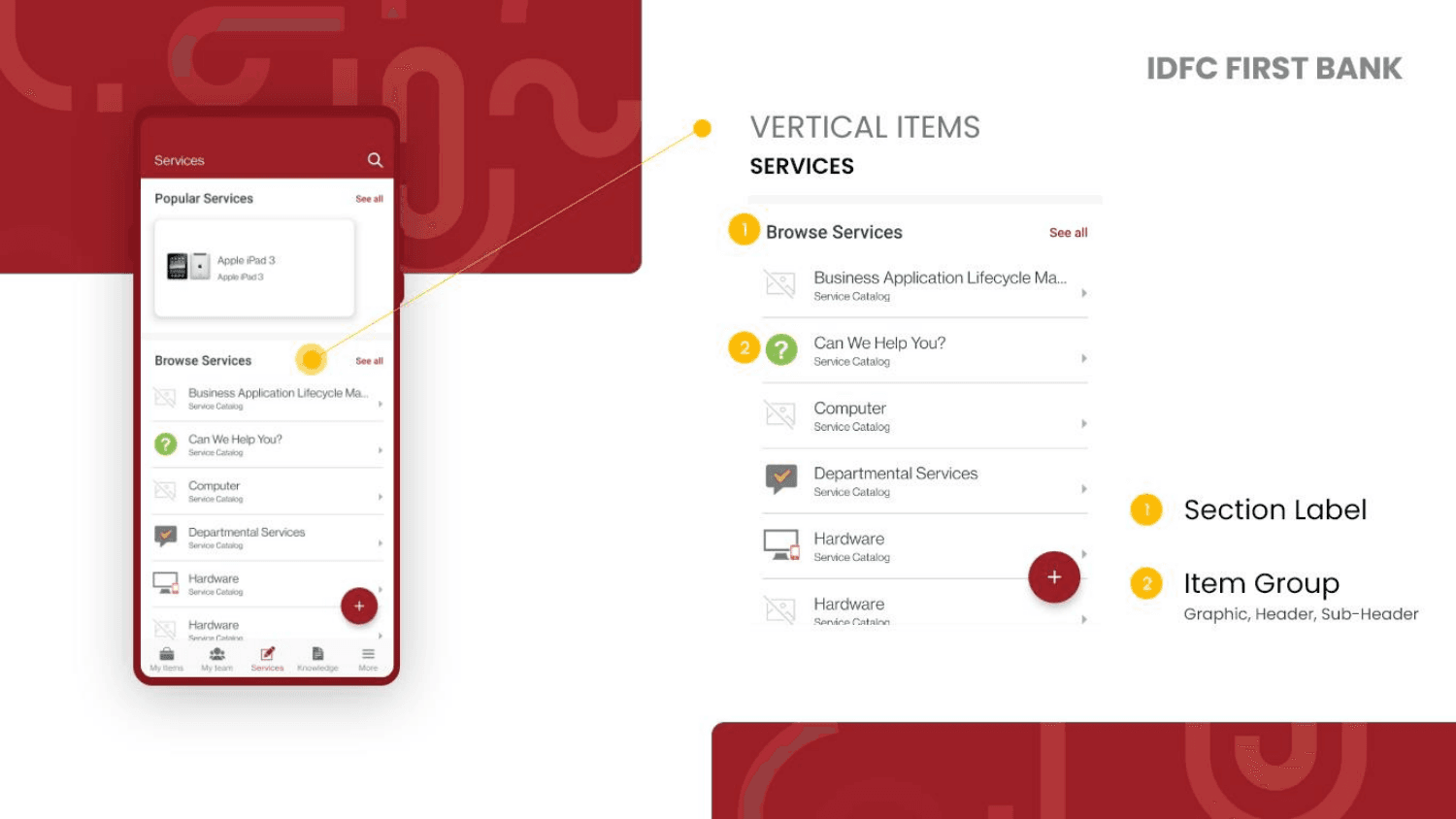
The Services section exposes the bank's full IT service catalog in two layouts - a horizontally scrollable Popular Services strip and a vertically browsable full catalog.
Horizontal card group
Frequently requested services display as horizontal scrollable cards - each showing a product graphic, name, and sub-header. Reduces catalog friction for common requests.
Full vertical catalog
The complete service catalog renders as a vertical list with icons, category labels, and sub-headers. Each item is actionable with a chevron indicator.
Knowledge
Employee knowledge base
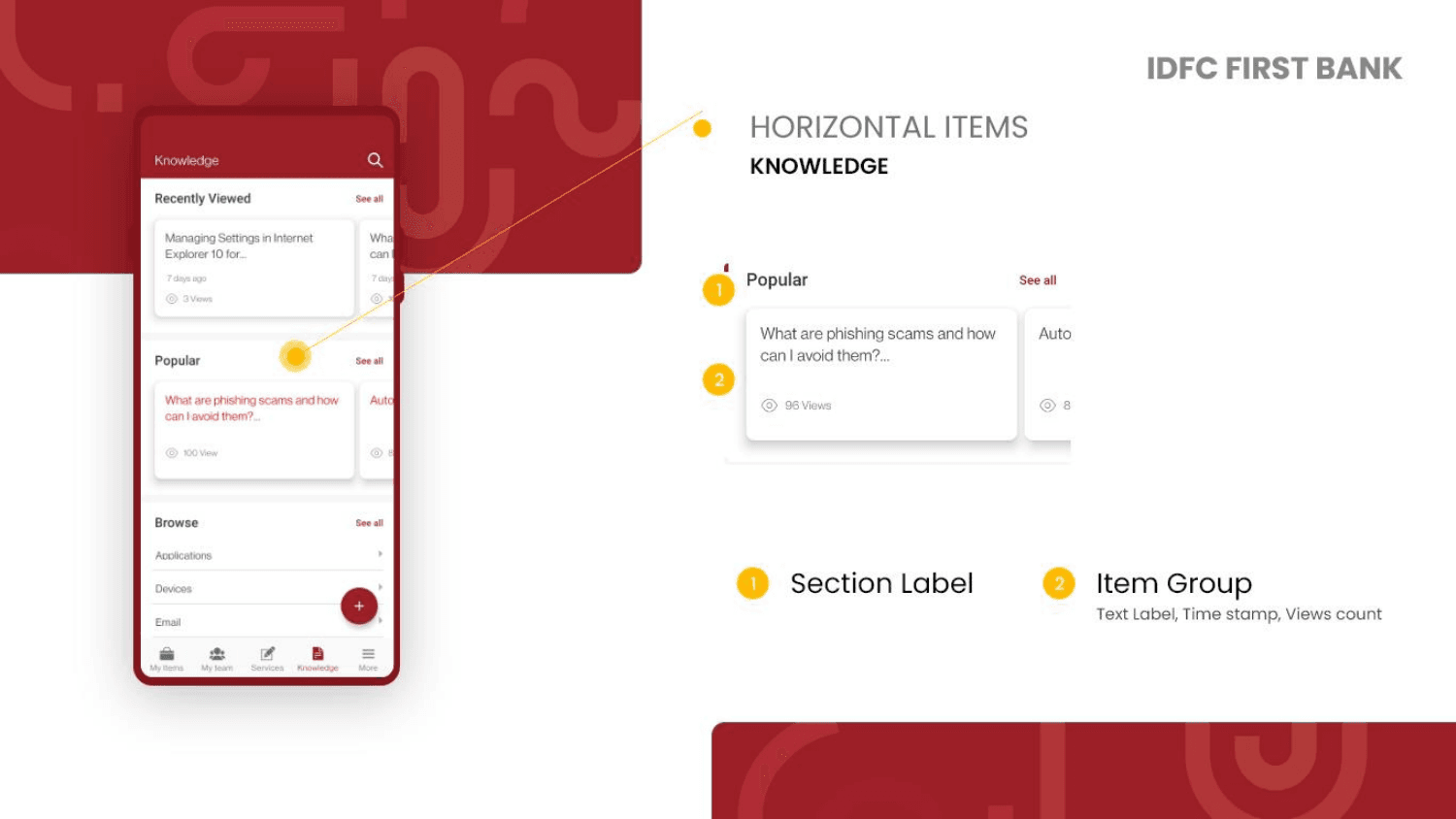
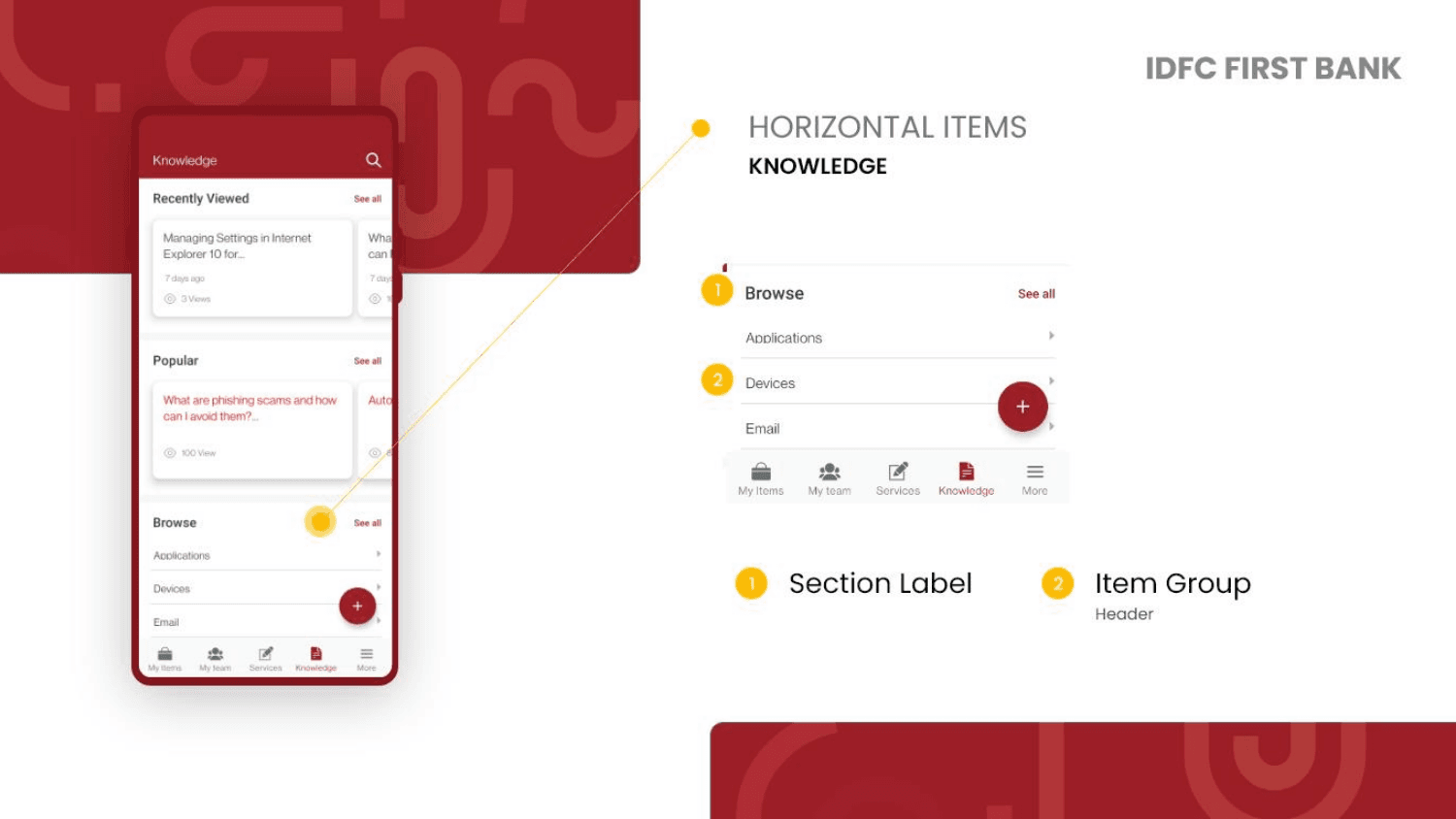
The Knowledge section organizes internal articles and guides in three discovery modes - Recently Viewed, Popular, and Browse - each with different content density and metadata.
Horizontal cards with timestamp + views
Recently accessed articles display as horizontal scrollable cards with title, timestamp, and view count. Gives employees fast re-access to articles they've already started.
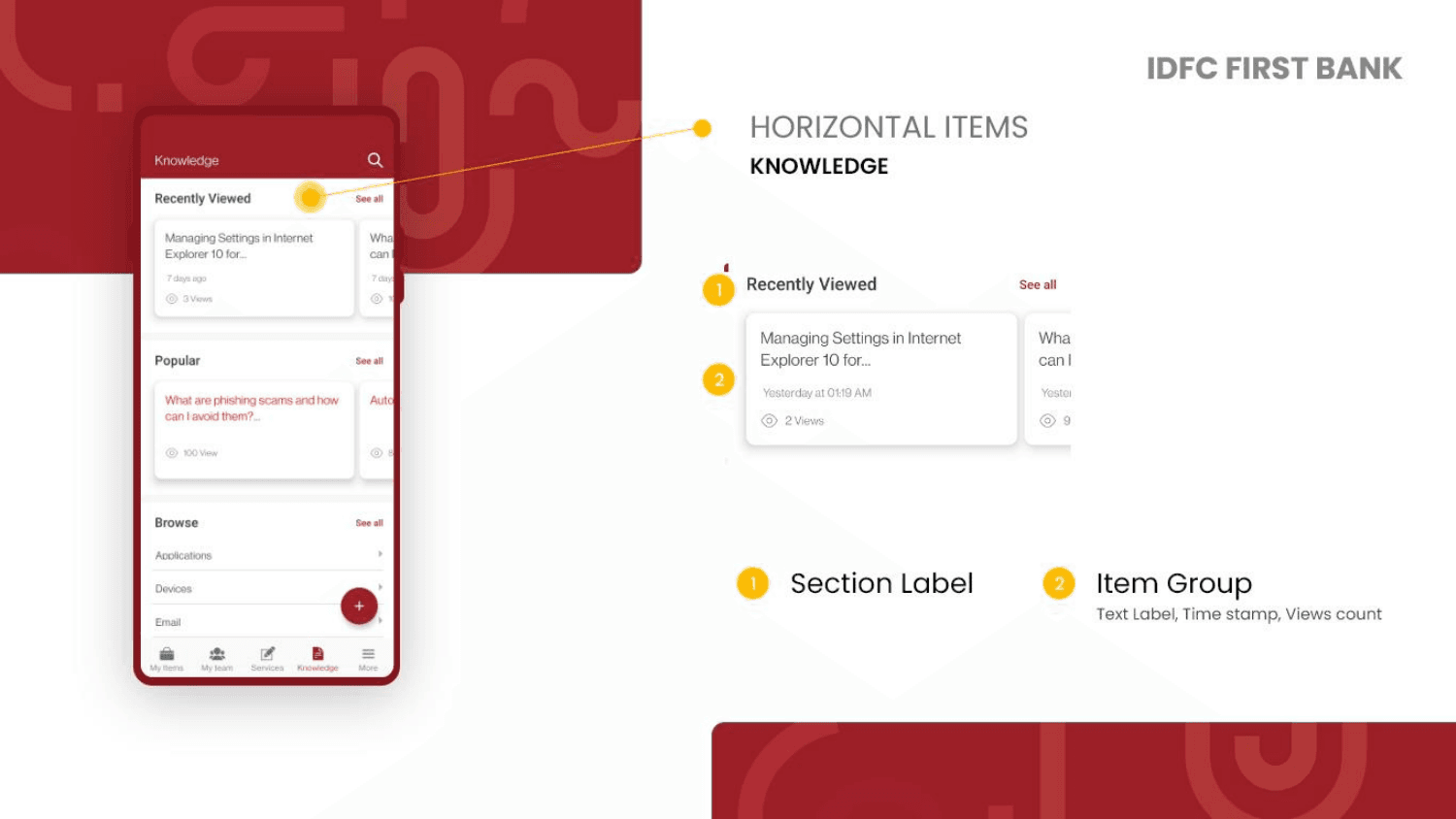
Trending content with engagement data
Popular articles surface by view count with the same card format - helping employees discover what their colleagues find most useful.
Category-level navigation
The Browse section lists top-level categories (Applications, Devices, Email) as clean header rows - a lightweight IA layer for employees who know what they're looking for.
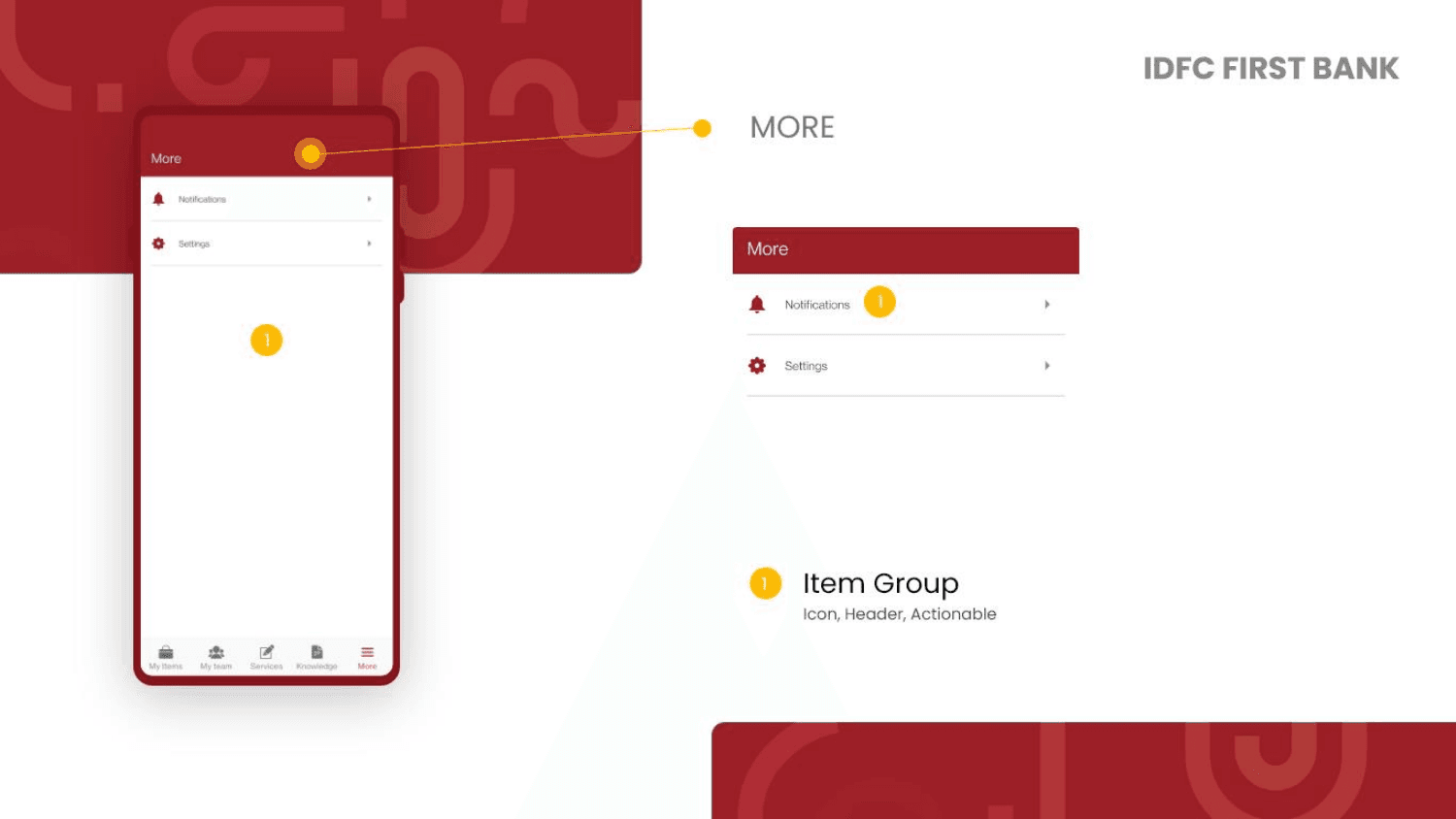
More
App settings and notifications
The More tab provides access to Notifications and Settings - utility functions kept minimal and accessible without cluttering the core experience.
Notifications and settings
A clean list of utility options - Notifications and Settings - rendered as actionable rows with icons and chevrons. Simple, expected, and branded.